Aerial image annotation for agriculture and drone imagery
Aerial image annotation is mostly about shapes, not boxes. Fields, crop rows, weed patches, standing water and damaged areas have irregular outlines, and the outline is what your model needs to learn. ImageLabeling gives agtech and geospatial teams polygons, brush based segmentation masks and AI pre-labels on drone and aerial tiles, with review and versioned exports.
A label schema for drone and farm imagery
Pick classes that match the decision your model supports, such as where to spray, where to replant or which area to inspect. A typical agriculture schema looks like this.
Attributes add the detail agronomists care about: crop type, growth stage, severity of damage and weed species when your labelers can tell. Hierarchical classes help when you want one model for vegetation versus soil and a second one for specific weeds, using the same labels.
- crop
- weed
- bare_soil
- standing_water
- crop_row
- lodged_crop (flattened plants)
- disease_patch
- pest_damage
- livestock
- vehicle
- building
- road_or_track
- tree
Which annotation types fit aerial imagery
Segmentation is the main tool for this work. Use the image segmentation tool to paint masks with the brush or trace polygons around fields, patches and water. Boxes still fit countable objects such as livestock, vehicles, individual trees or plants at early growth stages, with bounding box annotation. Points are useful for plant counting when a box would overlap its neighbors.
- Segmentation masks for land cover, weeds and damage
- Polygons for field boundaries and patches
- Boxes for livestock, vehicles and trees
- Points for plant counting
Working with large aerial tiles
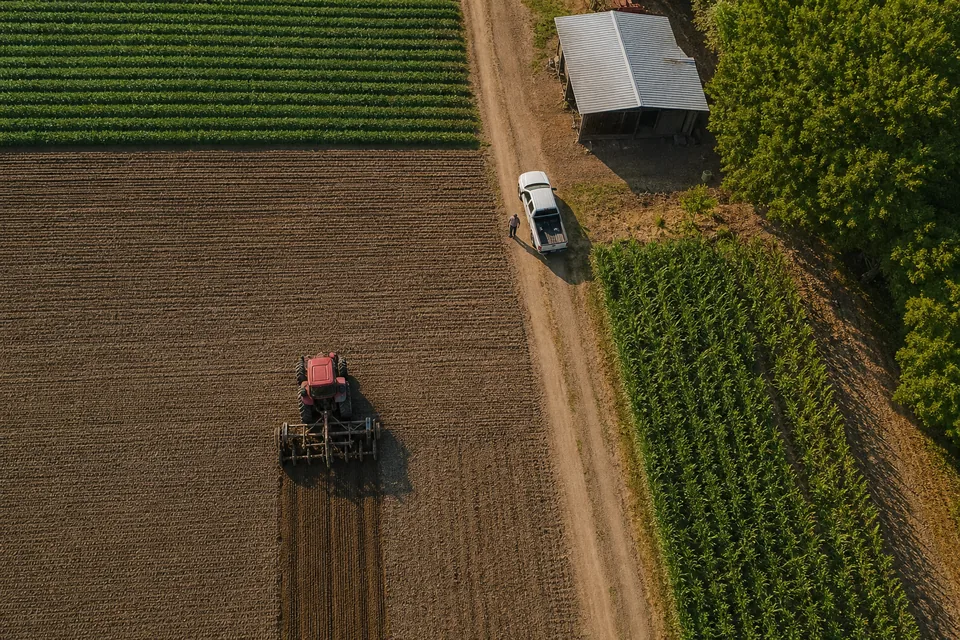
Orthomosaics are too large to label in one piece, so split them into tiles before upload and keep the tile coordinates in the file name. Upload by drag and drop, as a zip or from a cloud bucket URL. Auto labeling proposes masks and polygons for your classes with a confidence per object. Labelers refine edges with the brush, zoom in for small weeds, and accept with A before moving on with D.
Land cover boundaries are open to interpretation, so write the edge rules into your guideline: where a field ends at a track, how big a weed patch must be to count, how to treat shadows. Reviewers approve or send back with a comment, and consensus on a sample of tiles shows where your labelers draw boundaries differently.
Exporting an aerial dataset
Freeze a dataset version per flight campaign or season and keep the train, validation and test split fixed, ideally with whole fields in one split so the model is tested on land it has not seen. Export COCO JSON with the COCO annotation tool for segmentation masks and polygons. Use the YOLO labeling tool export for box based counting models. CSV gives you per tile counts for reporting.
Which plan usually fits

Segmentation masks start on Team, so most agriculture projects begin there, with 10 seats, a full review workflow and attributes for crop type and growth stage. Larger agtech and geospatial teams labeling several campaigns per month, with stored images in the hundreds of thousands, an API and webhooks, usually choose Business. Starter fits polygon only pilots. See quotas and storage on image annotation tool pricing.
FAQ
Can I upload GeoTIFF orthomosaics directly?
Split them into image tiles first and keep coordinates in the file names or a CSV, so labels map back to your coordinates after export.
Does the AI model know our crop types?
It proposes masks and objects for the classes you define. Crop type is usually an attribute your labelers confirm.
How do we handle multispectral bands?
Upload a visual rendering of the bands you want labeled, such as RGB or a false color composite, as standard images.
Label your first aerial tile
Upload one drone image and see AI masks and polygons for your classes.