Retail shelf image annotation for shelf monitoring models
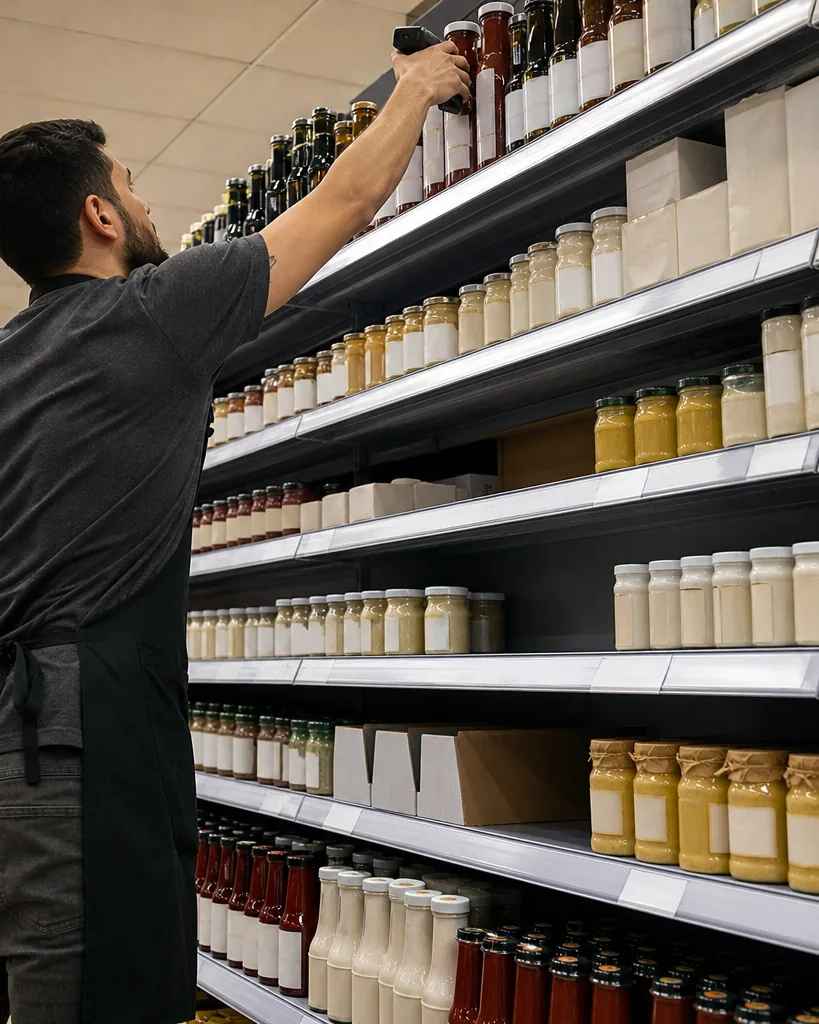
Retail shelf image annotation is dense work. One photo can hold a hundred facings, near identical packages, price tags and empty slots. ImageLabeling lets the AI model draw the first boxes for every product, so your team spends its time fixing the hard cases instead of drawing the easy ones, then exports a versioned dataset for out of stock, planogram and price tag models.
A label schema for shelf monitoring
Keep the class list short and put product detail into attributes. A schema that works for most store and shelf audit projects looks like this.
Attributes per product carry the detail: brand, product line, SKU code, facing direction (front, side, rotated) and visibility (full, partial). Hierarchical classes let you train a generic product detector first and a fine grained SKU classifier later on the same labels. Save the schema as a template per retailer or per category.
- product (one box per visible facing)
- empty_slot
- price_tag
- promo_sign
- shelf_edge
- misplaced_product
- damaged_package
- person (to mark and exclude shoppers)
- cart
Which annotation types fit shelf images
Boxes are the standard for shelf work: one tight bounding box annotation per facing is enough to count products, detect gaps and crop each package for a second stage SKU classifier. Use polygons for angled shelf edges or irregular promo displays, and image classes to tag whole photos (aisle type, store format, image quality).
- Boxes for products, gaps and price tags
- Attributes for brand, SKU and facing
- Polygons for shelf edges and displays
- Image classes for photo level tags
Speeding up dense shelf labeling
Dense scenes are where auto labeling helps the most. The model proposes a box for each product with a confidence per object. Sort by confidence, accept the clear ones with A, fix the overlapping and partially hidden ones, and press D for the next image. The class picker and attribute fields stay on the keyboard, so filling in SKU codes does not slow the pass down.
Use a two step workflow. Labelers draw and attribute, and a reviewer approves or sends back with a comment. Consensus on a sample of images is useful when product names are hard to tell apart, because it shows which SKUs your labelers confuse. Shoppers can appear in store photos, so blur or crop faces before upload when your policy requires it.
Exporting a shelf dataset
Freeze a dataset version per store wave or per planogram reset and keep your train, validation and test split with it. Export with the YOLO labeling tool for on device detection on store cameras or handheld apps, or with the COCO annotation tool when you keep attributes in the export for a SKU classifier. CSV is handy for counting facings per brand in a spreadsheet.
Which plan usually fits
A proof of concept on one category with a small team fits Starter. Teams that need attributes for SKU and brand and a full review workflow with consensus usually pick Team. Retail analytics teams running many stores per month, with an API for uploads, webhooks when a batch is reviewed and QA scores per labeler, usually pick Business. Check the monthly AI pre-label quota per plan on image annotation tool pricing.
FAQ
Can the AI model recognize our exact SKUs?
It proposes boxes for the classes in your schema. SKU codes are attributes your labelers fill in or confirm, and your own model learns them from the exported dataset.
How do we handle products hidden behind others?
Label the visible part with a box and set the visibility attribute to partial, so your model learns occlusion explicitly.
Can we upload video from a shelf scanning robot?
Yes, as extracted frames uploaded as images. There is no native video timeline.
Label your first shelf image
Upload one shelf photo and see AI pre-labels for every facing.