Image annotation software compared plan by plan
If you are choosing image annotation software for a team, you need two things: a clear list of what you get on each plan, and a way to judge any tool against your own data. This page gives you both. The capability table shows ImageLabeling plan by plan, and the checklist below it works for evaluating any option, including ours.
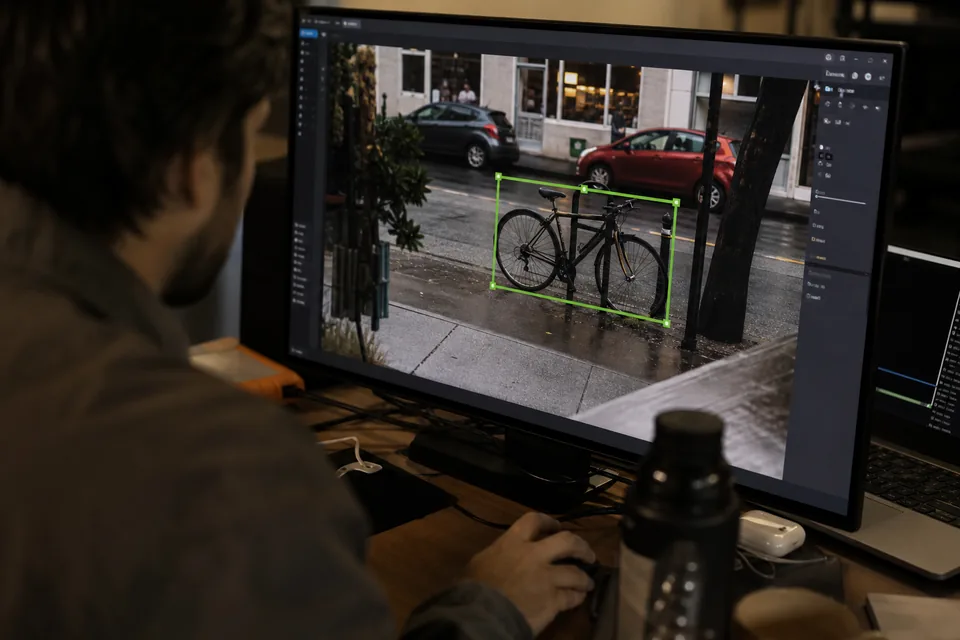
Image annotation software capabilities per plan
Every plan is a subscription and the yearly price is half the monthly one. Full terms are on the pricing page.
| Capability | Starter | Team | Business | Enterprise |
|---|---|---|---|---|
| Price per month | 49 USD | 149 USD | 499 USD | 1,499 USD |
| Price per month, billed yearly | 24 USD | 74 USD | 249 USD | 749 USD |
| Seats | 3 | 10 | 30 | unlimited |
| AI pre-labeled images per month | 1,000 | 3,500 | 12,000 | 35,000 |
| Stored images | 10,000 | 100,000 | 1,000,000 | 5,000,000 |
| Annotation types | boxes, polygons, points, classes | adds segmentation masks, attributes | adds keypoint skeletons, custom schemas | everything |
| Dataset versions | 3 | unlimited | unlimited | unlimited |
| Review and QA | single reviewer | full workflow, consensus | adds QA score per labeler | same as Business |
| API and webhooks | none | API | API and webhooks | API and webhooks, higher rate limits |
| SSO and audit log | none | none | Google and Microsoft SSO, audit log | SAML SSO, audit log, DPA, 99.9 percent uptime SLA, invoicing |
| Managed labeling | none | none | monthly retainer | monthly retainer, priority matching |
| Export formats | COCO, YOLO, Pascal VOC, CSV | same | same | same |
ImageLabeling compared with the other ways to label images
Most vision teams weigh four options before they pick software. The table compares them on the points that decide cost, quality and control.
Our own vetted annotators work inside your workspace under your QA rules, see data annotation services.
| Point | ImageLabeling | Labeling from scratch | Outsourced labeling vendor | Self-hosted open source tool |
|---|---|---|---|---|
| AI drafts | Boxes, masks and points drawn before a person looks | None, every object is drawn by hand | Depends on the vendor and is rarely visible to you | Possible after you set up and host a model yourself |
| QA trail | Who labeled, who approved and what changed, on every image | Whatever your team records by hand | Vendor reports, rarely per image | Basic review, an audit trail is up to you |
| Exports | COCO, YOLO, Pascal VOC and CSV on every plan | Whatever your own scripts write | Agreed per project | Common formats, often with plugins and scripts |
| Cost model | Flat monthly plan from 24 USD billed yearly | Labeler hours only | Price per image or per hour, quoted per project | Free license, paid in servers and engineer time |
| Data control | Images label your dataset only and never train third party models, export anytime | Full | Images leave your company for the vendor's workforce | Full, on your own servers |
What to look for when choosing image annotation software
A short trial on real images tells you more than any feature list. Before you commit, check these points with a batch from your own dataset.
- Export that loads into your training code without a conversion script. Test COCO or YOLO on day one.
- Import of the labels you already have, so earlier work is not lost.
- AI drafts for your own classes, with confidence per object, so reviewers can focus.
- A review step with comments, not just a status flag.
- Dataset versions that freeze, compare and keep a stable split.
- Pricing you can predict. Flat monthly plans are easier to budget than credits or per click meters.
- Data terms in writing. Your images should not train someone else's models.
Costs that do not show on a pricing page

The license is rarely the largest line. The larger ones are labeler hours, relabeling after a bad batch, and engineer time spent converting formats. Software that drafts labels well cuts labeler hours. Software with real review cuts relabeling. Software that exports clean COCO JSON or YOLO txt with data.yaml removes conversion work. Ask about each of these before comparing prices. Our reasoning on cost per labeled image is on the data annotation platform page.
Matching a plan to your team
Starter suits one ML engineer with a focused detection project. Team suits a startup vision team that needs masks, consensus and the API. Business suits a company with an in-house labeling team that needs QA scores, webhooks, SSO and an audit log. Enterprise suits large or regulated data programs that need SAML SSO, a DPA, an uptime SLA and invoicing. If your volume grows, moving up a plan is charged right away for the difference.
Where to read more before you decide

Each capability in the table has a detailed page. Export behavior is explained on the YOLO labeling tool and COCO annotation tool pages, the editor on the image labeling tool page, and engineering features such as the API and versions on the computer vision annotation tool page.
FAQ
Is there a trial of the image annotation software?
There is a free demo on the homepage: upload one image and see AI labels drawn on it in the real editor layout. Plans start at 24 USD per month billed yearly.
Can we switch plans later?
Yes. Moving up is charged right away for the difference. You can cancel anytime and access runs to the end of the paid period.
Does every plan export to the same formats?
Yes. COCO JSON, YOLO txt with data.yaml, Pascal VOC XML and CSV are on every plan.
Is manual labeling limited?
Manual labeling is not metered. You label as much as your stored image limit allows, and only AI pre-labels count toward the monthly AI quota.
Test it on a batch from your own dataset
Create your account, upload a batch and run the checklist above against real results.