Roboflow alternative for image labeling teams with flat pricing
If you use Roboflow mostly to label images and export them to your own training code, ImageLabeling is a labeling-only alternative with flat monthly plans instead of credits. You get AI pre-labels, a review workflow with consensus from the Team plan at 149 USD a month, frozen dataset versions and COCO, YOLO and Pascal VOC export. If you also need hosted training and deployment, Roboflow is still the better fit.

Is there a good Roboflow alternative for labeling only?

Yes. Roboflow is an end to end computer vision platform that covers labeling, training, hosted inference and deployment. Many teams train with their own Ultralytics, Detectron2 or MMDetection scripts and only need the labeling part. For them, a dedicated image annotation tool with a predictable monthly price and a full review workflow usually costs less and is easier to budget.
ImageLabeling does the labeling part and nothing else. You upload images, the AI proposes boxes, polygons, masks, keypoints and classes, your team fixes them, reviewers approve them, and you export a frozen version in the format your training code expects. See the full flow on the how it works page.
Roboflow vs ImageLabeling for image labeling
Roboflow figures come from roboflow.com/pricing as checked in October 2026. Prices change, so confirm them on their page before you decide.
| What you compare | Roboflow | ImageLabeling |
|---|---|---|
| Scope | Labeling, training, hosted inference, deployment, public datasets on Universe | Labeling, review, dataset versions and export only |
| Entry price | Free tier with 10 credits a month, Core from 39 USD a month with 20 credits | Starter 49 USD a month or 24 USD a month billed yearly |
| How AI usage is billed | Credits, packs from 39 to 1,399 USD a month, 1 credit per 1,000 auto labeled images, extra credits 4 to 6 USD each | A fixed number of AI pre-labeled images per plan, from 1,000 to 35,000 a month |
| AI assisted labeling | Label Assist, Smart Polygon, Box Prompting and Auto Label on every plan | AI pre-labels for boxes, polygons, masks, keypoints and classes, with confidence scores |
| Review workflow | Review Mode, labeling analytics and labeling history on Enterprise | Single reviewer on Starter, full review with consensus from Team at 149 USD |
| Seats | Unlimited admin team members on Core | 3, 10, 30 or unlimited seats depending on plan |
| Export formats | Many formats, including COCO, YOLO and Pascal VOC | COCO JSON, YOLO txt, Pascal VOC XML and CSV |
| Model training and hosting | Yes, built in | No, you train with your own code |
| Outsourced labeling | Optional on Enterprise, from 0.10 USD per box | Managed labeling as a monthly retainer on Business and Enterprise |
| Data use | Free tier data may be used to improve the product unless you opt out | Images are used only to label your dataset, never to train third party models |
When Roboflow is the better choice
We would rather you pick the right tool than switch twice. Stay on Roboflow, or choose it, in these cases.
If any of these is the main reason you pay for Roboflow, ImageLabeling would cover only part of your stack.
- You want to train, host and deploy models in the same platform, without running your own GPUs or inference servers.
- You rely on public datasets and pretrained models from Roboflow Universe as a starting point.
- You label small batches now and then and the free tier or the entry Core plan covers you.
- You deploy to edge devices with Roboflow Inference and want labeling in the same account.
When a labeling-only Roboflow alternative fits better

Compare the plans in detail on the image annotation tool pricing page.
- Your training runs in your own code or cloud, so a bundled training and hosting product is cost you do not use.
- You need a real review step, with a second person approving each image, consensus between labelers and QA scores, without moving to an enterprise contract.
- Finance wants one predictable line item. A fixed monthly count of AI pre-labeled images is easier to forecast than credits that drain at different rates.
- You label every month as the model is retrained, with several labelers working in parallel on one schema.
- You need SSO, an audit log and invoices, which come with the Business plan at 499 USD a month.
What labeling 3,000 images a month costs
Take a team of six that adds about 3,000 new images every month and wants AI pre-labels plus review on all of them.
On Roboflow the AI part of that month is cheap. The roboflow.com/credits page lists one credit per 1,000 auto labeled images or per 100 images labeled interactively with Label Assist, so 3,000 images use about 3 to 30 credits, which a Core plan with a 39 to 89 USD credit pack covers. The gap is review. Review Mode, labeling analytics and labeling history sit on Enterprise with custom pricing, so a team that needs a second person to approve every image either labels without a review trail or moves to an enterprise contract.
So if your team labels alone and trains on Roboflow, Roboflow is likely cheaper. If you need review, consensus and QA scores at a fixed price and train elsewhere, the Team plan is the simpler budget.
| Item | ImageLabeling |
|---|---|
| Plan | Team, 149 USD a month, or 74 USD a month billed yearly |
| AI pre-labeled images included | 3,500 a month |
| Seats included | 10 |
| Review with consensus | Included |
| Overage risk | None for AI images inside the 3,500 limit, manual labeling and edits never count |
How to move your dataset from Roboflow
Moving takes an afternoon, not a migration project.
Details on fields and IDs are on the COCO annotation tool page, and the YOLO labeling tool page covers data.yaml and normalized coordinates.
- Export your project from Roboflow in COCO JSON, which keeps boxes, polygons and class names in one file.
- Upload the same images to an ImageLabeling project.
- Import the COCO file. Images are matched by file name and categories become classes in your label schema.
- Send the imported labels to review so nothing is trusted blindly, then let AI pre-labels fill the classes that were never labeled.
- Freeze a dataset version and export COCO or YOLO for your next training run.
Teams that pick a labeling-only alternative
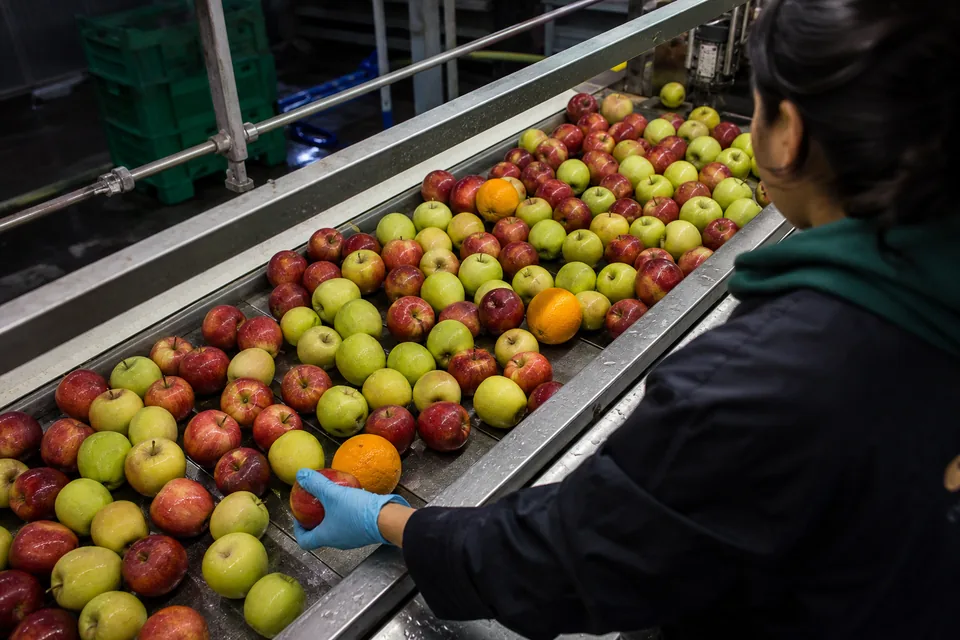
- Manufacturing teams labeling defect photos from a line camera every week, see defect detection datasets.
- Retail and CPG teams labeling shelf images per store visit.
- Agtech teams labeling drone imagery of fields during the season.
- Robotics teams that train in house and need clean YOLO exports for each release.
FAQ
What is the best alternative to Roboflow?
It depends on which part of Roboflow you use. For labeling only, a dedicated annotation tool with flat pricing and built in review, such as ImageLabeling, is usually the better value. For open source and self hosting, CVAT and Label Studio are common picks. For a full training and deployment platform, look at enterprise vision platforms.
How much does Roboflow cost?
As of October 2026 Roboflow lists a Free tier with 10 credits a month, a Core plan from 39 USD a month billed monthly with 20 credits, larger credit packs up to 1,399 USD a month and a custom Enterprise plan. Extra credits cost 4 to 6 USD each. Our Roboflow pricing breakdown shows what one credit buys.
Can I import my Roboflow dataset into ImageLabeling?
Yes. Export the dataset from Roboflow as COCO JSON, YOLO txt or Pascal VOC XML, upload the images and import the labels. Classes map to your label schema and every imported object stays editable, so your team can review and fix old labels before the next export.
Does ImageLabeling train or deploy models like Roboflow?
No. ImageLabeling covers labeling, review, dataset versions and export. You train with your own code or cloud service using the COCO, YOLO, Pascal VOC or CSV export. If you need training and hosting in one product, Roboflow remains a good choice.
Is my data used to train AI models?
No. Images and labels in ImageLabeling are used only to label your dataset and are never used to train third party models. You own the images and the labels, and you can export or delete them at any time.
Can I try it before I pay?
Yes. The demo on the homepage labels one of your own images with AI pre-labels you can edit, with no account needed. Plans start at 24 USD a month billed yearly and you can cancel anytime.
Label one of your Roboflow images now
Drop an image from your current project into the demo and see the AI pre-labels and the editor before you move anything.